Revit OpeningsTransfer
Efficient openings and penetrations planning in Revit
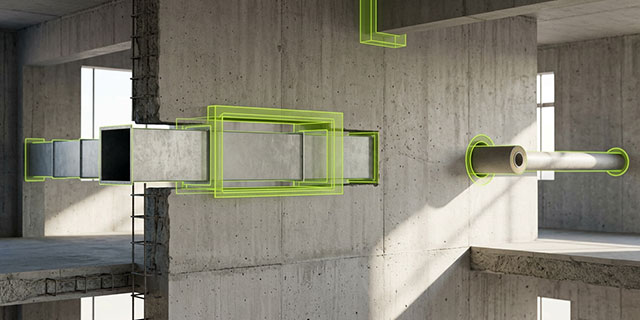
Wall and floor penetrations for building services are typically defined by the routing of ductwork, piping and cabling laid out by the MEP engineer. That's why, in BIM compliant design with Autodesk Revit, wall and floor openings are first created in the MEP model. With Revit OpeningsTransfer, you can quickly and easily exchange opening and penetration information, and changes to it, between the various discipline models, gaining greater design certainty. It's the ideal foundation for efficient, reliable openings and penetrations planning in Revit.
What MEP engineers need: Autodesk Revit, Revit ProjectBox
What architects need: Autodesk Revit, Revit OpeningsTransfer
Plan openings and penetrations easily and in full BIM compliance
Fast data exchange
With Revit OpeningsTransfer, wall and floor penetrations can be exported from an MEP model for further processing into any other discipline's model.
Simple data import
Architects and structural engineers can import all penetrations from the various discipline models directly into their own models. Using the included Dynamo script, they can also insert the actual openings into walls and floors, associatively linked to the penetrations.
Optimized collaboration
The penetration exchange can be initiated from any discipline model involved in the BIM project and reconciled in a target model. To exchange information, all project participants can attach comments or URLs to individual penetrations.
Higher design quality
Architects and engineers gain greater design certainty and reduce errors that are often only discovered during construction.
Everything you need for wall and floor penetrations
- Import and creation of wall and floor penetrations from the Revit ProjectBox
- Position- and geometry-accurate relative to selected components or building services disciplines
- Simple selection of all or specific wall and floor penetrations for export
- Easy provisioning for transferring and importing penetrations into another Revit model
- Import options for all, changed, new, or individual penetrations
What our customers say
Questions about Revit OpeningsTransfer?
Tell us which opening-coordination or Revit transfer workflows matter for your project, and our team will get back to you.